BJORN ALLPAS
WordPress Speed Killers Toolkit
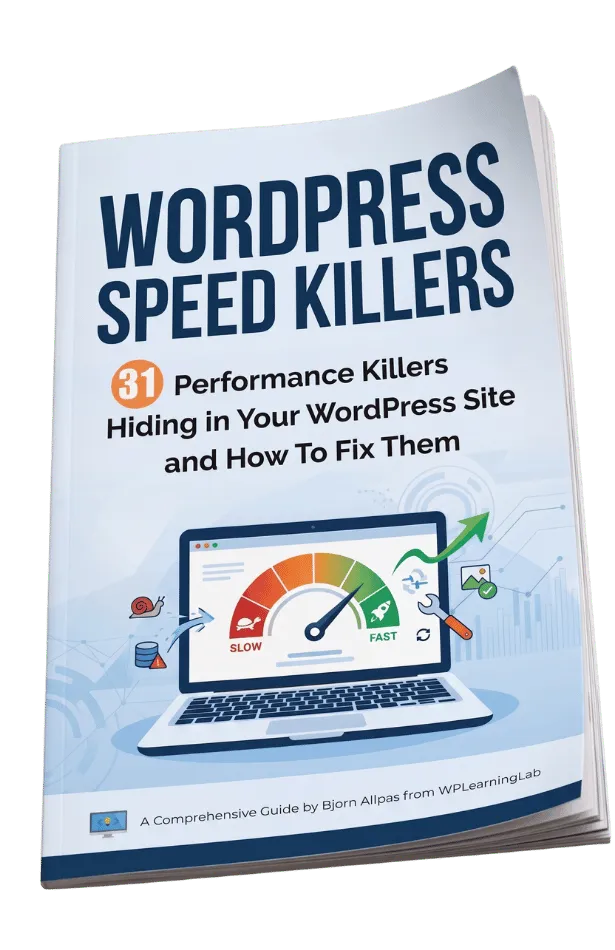
31 Performance Killers Hiding in Your WordPress Site and how to fix them
Hey, it's Bjorn!
I created this toolkit for the same reason I create most things for WordPress site owners:
Because people do not need more theory. They need clear wins they can act on right away.
If you have ever looked at your site and thought:
Why is this page loading so slowly?
Why does my WordPress dashboard feel heavy?
Why do my images look fine but still slow everything down?
Why is my site getting worse even though I keep adding “helpful” plugins?
Why does my site look decent but still feel clunky on mobile?
Then this guide was made for you.
You are probably not broken. Your site is probably just carrying too much weight.

How WordPress Services Changed My Life
My journey started like a lot of online businesses do: by saying yes to whatever could bring in income.
Back in 2006, I tried web design, reselling products online, and a few other ways to make money. Some of it worked, but it all took a lot of time. What I really wanted was a business that gave me more freedom.
As a dad to two little ones, time has always mattered more to me than money. I didn’t want a business that kept me chained to my screen all day.
That’s what led me to WordPress services.
One of the biggest problems I kept seeing was slow websites. Over and over, sites were held back by oversized images, cheap hosting, too many plugins, bloated page builders, and missing caching. Once I started helping people fix those issues, I realized speed was not just a technical problem, it was a business problem.
A faster site feels better, converts better, and gives the owner peace of mind.
Over time, I built a real business around improving WordPress performance. But I also realized the limit of services: I was still trading time for money.
That’s why I became even more interested in digital products. They let me package what I know once and sell it many times, without all the manual fulfilment.
WordPress services helped me build skills and income. Digital products helped me build freedom.
And that’s why I created the WordPress Speed Killers Toolkit, to help site owners quickly spot the hidden problems slowing their sites down and fix the obvious issues with confidence.
Why WordPress Sites Get Slow
Most slow WordPress sites are not slow because of one dramatic mistake. They are slow because of a pile-up of smaller ones.
Maybe you are using cheap hosting that struggles to keep up.
Maybe your images are massive and never compressed.
Maybe your page builder is adding more code than you realize.
Maybe you have 20+ plugins and half of them are loading assets site-wide.
Maybe you have no caching, no CDN, or a bloated database that keeps getting heavier over time.
The good news is this: many of the biggest problems are also the easiest to spot.
That is why this toolkit is built for quick wins.
Introducing...
WordPress Speed Killers Toolkit
31 Performance Killers Hiding in Your WordPress Site
This guide shows you the most common issues slowing down WordPress sites — in plain English, with a quick fix for each one.
It is designed so you can skim, identify the obvious offenders, and start cleaning up your site without needing to be a developer.
Inside, you will learn how to spot things like:
Oversized images that should have been compressed months ago.
Cheap hosting that cannot keep up with your traffic.
Too many plugins, or the wrong plugins, loading too much everywhere.
Page-builder bloat that makes even simple pages feel heavy.
Missing caching, CDN, and compression setup.
Bloated database tables and unused junk that keep slowing your site down.
Third-party scripts, embeds, and tracking tools that quietly drag down performance.
This is not a technical deep dive.
It is a practical clean-up guide for real WordPress site owners who want a faster site without the overwhelm.
What’s Inside
The hosting mistakes that make every page feel slower than it should.
The caching issues that force WordPress to work too hard on every visit.
The image mistakes that waste bandwidth and crush mobile speed.
The plugin problems that quietly pile up until the site feels bloated.
The database issues that build up over time and slow everything down.
The page builder and theme choices that add unnecessary weight.
The script and embed mistakes that make your pages harder to load.
The content layout mistakes that turn a simple page into a performance problem.
And that's just the tip of the iceberg.
Plus, each item is written so you can understand it fast and act on it fast
Why This Matters
A slow site does more than annoy visitors.
It can hurt conversions, increase bounce rate, frustrate mobile users, and make your site feel less trustworthy.
If your site is the front door to your business, then speed is part of the first impression.
And when your site is faster, everything feels better:
Pages load more smoothly.
Visitors stick around longer.
Your content feels more professional.
Your tools stop fighting each other.
You get clearer signal on what actually matters.
That is why this guide focuses on quick, obvious performance wins first.
Who This Is For
This guide is a fit if you are:
A WordPress beginner who wants a faster site without technical confusion.
A freelancer or small business owner who suspects their site has hidden performance problems.
A content creator or coach who wants their pages to load faster and feel cleaner.
Someone who has heard “optimize your site” a hundred times but never got a simple checklist.
A DIY site owner who wants to clean up the obvious stuff before hiring help.
If you want a quick-win resource you can actually use, this is for you.
What Makes It Different
There are plenty of generic WordPress speed articles online.
Most of them are either too technical, too vague, or too long.
This toolkit is different because it is built around a simple idea:
Show people the most common hidden problems first.
That means no fluff, no theory dump, and no “start by auditing your entire stack for performance architecture.”
Just clear, recognizable issues and practical fixes.
It is the kind of toolkit someone can open, skim in ten minutes, and immediately say:
“Okay, I know what I need to fix.”
What You’ll Get
When you grab WordPress Speed Killers Toolkit, you get:
31 common WordPress performance problems.
A quick explanation of why each one matters.
A simple fix or next step for each item.
A clean checklist-style format that is easy to skim.
3 valuable bonuses (see below)
It is a practical reference you can come back to any time your site starts feeling sluggish.
Bonuses
Grab your copy today and receive the following bonuses:
Bonus #1: Speed Audit Checklist
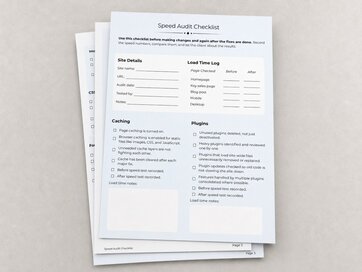
This is what the Speed Audit Checklist will do for you:
- Clear, step-by-step diagnostic
- Measureable before/after wins
- Action-focused and printable
- Fast implementation
Value: $17
Bonus #2: Fast WordPress Speed Fixes
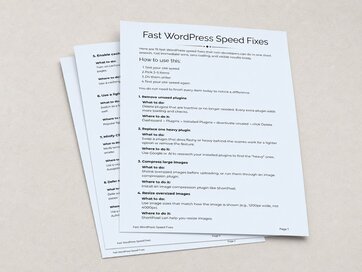
These are the 15 fastest and easiest WordPress speed wins without coding, guesswork, or overwhelm.
This bonus helps you spot simple fixes you can do in minutes, see results fast, and build momentum with changes that actually make your site feel lighter and faster.
Value: $27
Bonus #3: Core Web Vitals Interpretation Guide
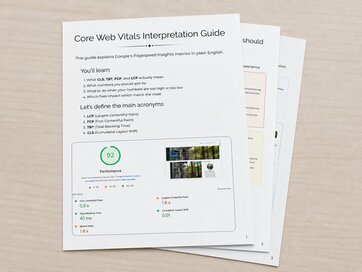
What you'll get in this bonus:
- Understand Google’s speed scores in plain English so you can act fast.
- Prioritize fixes that move the needle; know which changes give the biggest improvements.
- Turn a confusing audit into a professional diagnostic you can use with clients or contractors.
Value: $19
The bonuses are a $63 value that you get for free when you order the WordPress Speed Killers Toolkit.
Get The WordPress Speed Killers Toolkit Right Now
You can grab The WordPress Speed Killers Toolkit for just $47 USD.
If your WordPress site feels slow, bloated, or harder to manage than it should be, the WordPress Speed Killers Toolkit will help you find the obvious performance problems fast.
Stop guessing. Start fixing.
Grab your copy now.
What exactly is The WordPress Speed Killers Toolkit?
It’s a practical toolkit that breaks down 31 common performance problems slowing down WordPress sites. Inside, you’ll find quick explanations of what each issue is, why it matters, and what to do about it so you can spot obvious speed killers fast.
How is this different from other WordPress speed guides?
Most speed guides are either too technical, too generic, or too long. The WordPress Speed Killers Toolkit focuses on the most common real-world issues site owners actually run into, so you can skim it quickly and fix the biggest problems without getting lost in jargon.
Who is this for?
This guide is for WordPress beginners, freelancers, and small business owners who want a faster site without needing to become performance experts. If you want a clear, no-fluff checklist of what might be slowing your site down, this is for you.
Do I need to be technical to use it?
No. The guide is written to be easy to scan and understand, even if you are not a developer. It is designed to help you recognize problems first, then take simple action on the ones that apply to your site.
Is this a course or a checklist?
It is a toolkit that works like a quick-win checklist. You can read through it, identify the obvious performance killers on your site, and start cleaning things up right away.
Is this a physical product or a digital download?
It is a digital download in PDF format, so you get instant access after purchase. You can read it on your phone, tablet, or computer anytime.
Why should I get it now?
Because the sooner you identify the main speed problems on your site, the sooner you can improve load times, reduce frustration, and create a better experience for visitors. It is a simple way to get quick wins without overcomplicating the process.
Do you offer a money-back guarantee?
Yes! If for any reason you decide the guide is not right for you within 30 days of your purchase, simply contact support and we'll happily refund your purchase. No questions asked.
Are payments secure?
Yes. Payments should be processed through a trusted secure payment processor, and the product should clearly state that payment details are handled securely and are not stored by you.
What if I have questions after I buy?
You can always reach out to me at bjorn [at] wplearninglab.com I read every message that comes through. I love hearing how the lessons have helped other WordPressers speed up their websites or grow their businesses!